Skip to content



When you run a service business on five different tools, it creates friction. You onboard a client on one platform, manage tasks on another, and send invoices on a third. So, you’ll miss things out! Right there, a productized service software makes sense.
A productized service software lets you present your offerings with clear scopes, pricing, and timelines without needing to explain the same thing repeatedly. You should be able to onboard clients seamlessly, send proposals, manage tasks, and accept payment from the same platform.
From here, we’ll go deep into explaining the software, how it helps, and key features to look for. You’ll also get to know the most prominent software that can help you to successfully sell and manage your productized service.
What is Productized Service Software?
Productized service software lets you package and sell your services with a fixed scope, price, and timeline. It also allows you to add fixed or recurring pricing, a free trial, coupons, add-ons, and share proposals.
Clients see exactly what they are buying before they commit. You stop explaining the same thing to every new prospect.
Now, when it comes to productized service examples, you could be a dev, designer, or content writer who wants to upsell your service. With a productized service software, you create a service with a description, fixed pricing, and time to offer your client.
What Problems Does Productized Service Software Solve

A productized service software solves the challenge of offering a defined and repeatable service. It also automates your workflow and helps to onboard clients easily. Most importantly, it helps you to get paid fast with automated invoicing and reminders.
Let’s break them down to understand how a software to productize service helps —
Defined Service Offering
For instance, you’re a dev, and you offer web development services from no-code to full custom. In that case, this software helps you to create a service or multiple services. You can add —
- Proper description
- Ppricing
- Scope of work
- Revision limits
- Delivery timeline
Thus, your client clearly knows from the very beginning what they’re buying. For a deeper look at how to structure your offerings, read Service Packaging – How to Bundle Packages for Clients and Growth
Repeatable Service Delivery
You just create a single package or a service catalog with multiple packages and save the details once. Later, you just share the service link of the catalog with your different clients instead of creating one from scratch.
Automatic Workflow
An ideal product-service system automates the workflow from order to task creation. It also helps you to divide a large order into small tasks and track progress often through a Kanban or Gnat. This automation lets you stay on track and ahead of the deadline.
Smooth Client Onboarding
A software to productize a service enables you to onboard a client effortlessly.
Right after your client signs up, the software offers them a structured intake form to collect information and explain the SOW clearly. That way, it removes long email threads and back-and-forth explanations.
Hence, you can save time and start delivering the service without delay.
Automated Invoicing and Payment
This type of software often comes with built-in invoicing, automated reminders, and a payment gateway system. That way, you don’t need a tool to create an invoice, another tool to send reminders for unpaid payments.
Most importantly, you’re able to receive the payment within the same platform.
What to Look for in Productized Service Software while buying

When you’re searching for software to productize a service, you should look for multi-service listings, add-ons, coupons, portfolio, intake forms, and proposals. If you want to make it more personal, see the client portal’s branding option. Aside from that, the software should be affordable and easy to use.
Here’s how each feature will help you in running your productized service business.
1. Multi-Service Catalog
Multi-Service Catalog is one of the most important features when you offer more than one fixed-scope service. For example, you’re a website developer. And you want to offer 3 services, like
- Development of a landing page for $200
- Development of 5 pages for $550
- Development of more than 10 pages at $1500
In this case, the Multi-Package Service Catalog allows you to create multiple services, with descriptions, pricing, and scope. You can even group them when needed.
Then, you just share the link of the multi-package services pricing with the client, and they can choose easily without any back-and-forth. For pricing structure guidance, read One Time Pricing for Agencies: When It Works, and How to Set It Up.
2. Add-ons
Add-ons are a nice-to-have type of feature. See, add-ons enable you to offer beyond the fixed scope of work and price. You create an add-on, name it, for instance, 15 days of post-development maintenance, and include the details.
When you offer add-ons, it helps you to offer more without disrupting your core service.
3. Coupons
Coupons have proven to be one of the best pricing control tools, as nearly 60% of consumers in the U.S. use digital coupons, according to Statista. With a coupon, you can offer a certain amount of discount to your client. You can either set a percent or a fixed discount rate.
This way, you can control and experiment with the pricing of your service.
4. Portfolio
A portfolio is the proof of work to show your client that you’re an expert and you have the experience. And the productized software with Portfolio lets you highlight your past projects with clear titles, visuals, and descriptions. Well, the functionality varies from software to software.
That said, this feature helps you to establish yourself as a credible service provider. To get a full guide on building this asset, take a look at Portfolio for Productized Services: A Compact Guide.
5. Intake Form
An intake form helps you to gather every bit of information upfront from the client who buys your service. You can create the form easily and add fields that cover the vision, challenges, goal, budget, deadline, and more.
Some advanced productized service software even allows you to set up a logical intake form for a structured flow of information.
6. Proposal
The proposal includes the scope of work from the deliverables, budget, timeline, revisions, and more. Thus, look for productized service software that lets you create a proposal from the same system.
On top of that, it’d be best if the platform allowed you to save the proposal templates. Thus, you can just modify the proposal based on the client’s requirement without needing to create one from the beginning.
It keeps your service scope consistent and reduces manual effort.
7. Client Portals
A client portal lets the clients see the progress, updates, and next steps themselves without searching through endless email threads.
It keeps your service in one spot, from work progress, files, to feedback. Thus, clients can easily view the overall condition. In that way, it reduces unnecessary check-ins and keeps communication clear.
That’s why a client portal is an important part of productized service software
8. Branding
You want to establish your identity, and you can’t do that by using another platform’s branding. Thus, go for a software that permits you to add your logo, color palette to every touchpoint. Hence, whenever your clients log in, they can see your presence everywhere.
9. eSignature
A signed contract is the clearest protection against scope disputes and non-payment. So, look for platforms that let you create, send, and collect signatures inside the same system.
When a client signs the contract and places the order in the same flow, the agreement is linked directly to the project record.
10. Pricing
Pricing is a crucial part! See, even if you get the features in a single productizing service software, if it costs a fortune, you won’t be able to bear it.
Thus, select a software that gives you all the key features at an affordable price, whether it’s monthly or yearly.
11. Ease of use
Last but not least, you should be able to use the platform seamlessly. The dashboard should be easy to explore and understand. Plus, the software must allow you to keep the key features in front of your eyes, so that you don’t spend the whole day finding them.
If it feels confusing, it’ll hamper your service delivery eventually.
Who is Best Suited for Productized Service Software?

There are a limited number of professionals that must use productized service software, and they’re —
1. Freelancers
If you’re a freelancer who has been working on the marketplace, you know how tricky and time-consuming it is to write a custom quote, reply to emails, and all. But if you have enough experience, you should use the software to productize a service.
You set up the package with scope, price, and afterward steps without repeated explanation. This way, it becomes easier for you to get more clients.
2. Solo Founders
Solo founders often sell repeatable services and are literally productized. But they need a structure to onboard, view progress, execute the work, and deliver.
Right there, a productized service software helps. With it, solo founders can set up structured onboarding, track progress, manage tasks, and share updates or feedback in one place. Hence, they can focus on work rather than spending time on every touchpoint.
3. Small Agencies
Small agencies are kind of similar to a solo founder, but on a much larger scale. They should use productized service software to sell services without any friction. Besides, the software helps them to keep track of the work clearly.
Also, it helps the agency to reduce scope creep and handle clients without disruption.
5 Best Productized Service Software to Run Business Efficiently
There are several software designed for productized services, each suited to different business sizes and delivery models. Some focus on client portals, others on subscriptions or workflow automation.
Though we’ll be brief about them here, there is also a separate best productized service software guide where you’ll know more.
1. Agency Handy

Agency Handy is mainly an agency management software that brings everything you need to operate a productized business. While its multi-service catalog can list your multiple offerings, the add-ons and coupons allow you to offer extras.
It also integrates a custom intake form to collect key data before you start working. Nonetheless, there is a Proposal feature so that you can clearly state the scopes and send it to the client.
Aside from that, Agency Handy can create tasks and generate an invoice automatically as soon as you sell your service.
Key Features of Agency Handy
Here are the remarkable features of Agency Handy that can help your business thrive.
- Multi-package service catalog
- Add-Ons and Coupons
- Intake form
- Proposal
- Client portal
- Branding
- Invoice and Billing
- File feedback with annotation
- Time tracking
- CRM
- Embed
Agency Handy Pricing
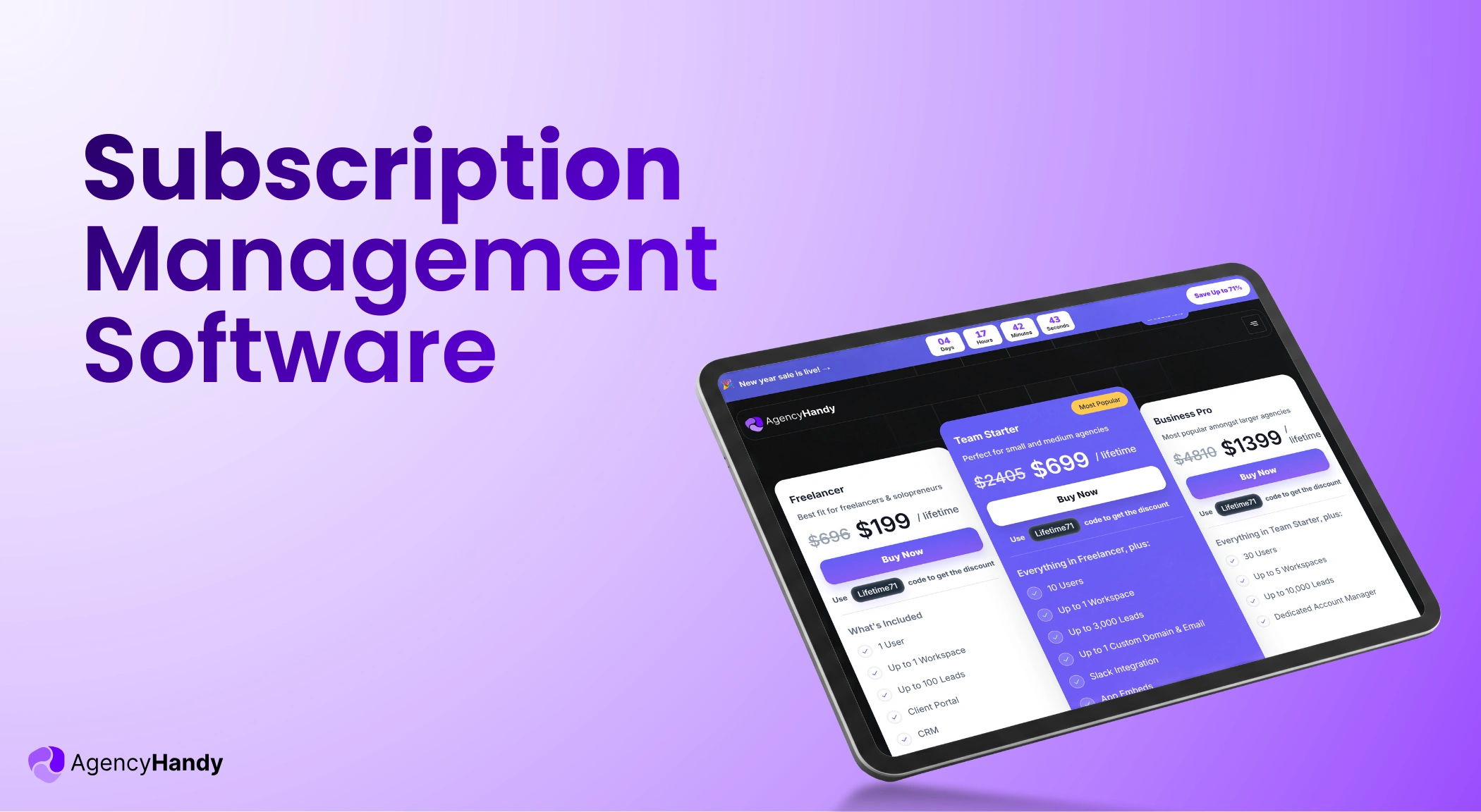
Agency Handy comes with three plans for agencies with 63% off on yearly plans.
- Freelancers: $29 per month (monthly) or $130 per year
- Team Starter: $99 per month (monthly) or $440 per year
- Business Pro: $199 per month (monthly) or $885 per year
2. Wayfront (formerly Service Provider Pro)

Service Provider Pro, or SPP, is a client portal software that also helps to manage services. The moment a client places an order, SPP automatically creates a task, triggers onboarding, and billing without you doing anything.
Plus, its client portal keeps everything in the same place so that clients can view progress, files, and invoices.
Key Features of SPP
SPP offers the following features —
- Services catalog
- Client portal
- Intake forms
- Billing
- Analytics
- Client Messaging
- CRM
Pricing of SPP
Though Service Provider Pro offers three straightforward pricing, it doesn’t have any discounts on annual plans.
- Basic: $129 per month (monthly)
- Pro: $299 per month (monthly)
- Plus: $1500 per month (monthly)
3. ManyRequests

ManyRequests is an ideal productized service software as it’s built upon the very core concept of delivering repeatable services. It lets you sell hour-based service packages, one-off projects, and subscriptions with a free trial, a coupon, and a promo code. Besides, you can show your packages as a catalog.
Most importantly, its checkout form helps the client to exit seamlessly.
Key Features of ManyRequests
ManyRequests comes with a span of features —
- Service catalog
- Checkout forms and payments
- Client portals
- Invoicing
- Task automation
- Project management
- Built-in messaging
- Reporting
Pricing of ManyRequests
With ManyRequests, you get three pricing plans and 34% off if you subscribe to annual plans.
- Starter: $29 per month (monthly)
- Core: $59 per month (monthly)
- Pro: $99 per month (monthly)
4. Orchestra

Orchestra comes with a branded client portal to operate your productized service business end-to-end. This one system centralizes client onboarding, payment, task management, and communication. Hence, clients get a transparent look at the requests, tasks, files, and conversations.
Key Features of Orchestra
Here are the core features —
- Client portal
- Automated client onboarding
- Task management
- File sharing
- Client collaboration
- Notifications and alerts
Pricing of
Orchestra brings three packages to function your productized service.
- Basic: $29.95 per month (monthly)
- Starter: $59.95 per month (monthly)
- Scale: $149.95 per month (monthly)
5. Assembly

A productized service is all about running a controlled system. And that’s where Assembly excels. It gives the client a central place for communication, file sharing, contracts, and payment. Besides, its payment system supports fixed pricing, subscriptions, and retainer.
And these are some common productized service models. You just set the price and reuse them repeatedly.
Key Features of Assembly
With Assembly, you get —
- Client portal
- Automated client onboarding
- Messaging
- File sharing
- Billing
- Helpdesk
Pricing of Assembly
Assembly brings four distinct packages to help you execute your service business efficiently.
- Starter: $59 per month (monthly)
- Professional: $199 per month (monthly)
- Advanced: $499 per month (monthly)
- Enterprise: $2,400 per month (monthly)
How Agency Handy Differs from Other Productized Service Software
Here is a table to show you how choosing Agency Handy can take you one step ahead of others.
| Productized Service Software | Multi-service Catalog | Add-Ons | Coupons | Portfolio | Starter Pricing (Monthly) |
| Agency Handy | ✅ | ✅ | ✅ | ✅ | $29 per month |
| Service Provider Pro | ❌ | ✅ | ✅ | ❌ | $129 per month |
| ManyRequests | ❌ | ✅ | ✅ | ❌ | $29 per month |
| Orchestra | ❌ | ❌ | ❌ | ❌ | $29.95 per month |
| Assembly | ❌ | ✅ | ✅ | ❌ | $59 per month |
Final Words
Productized service software is a must if you plan to repeatedly sell your services as a product. They remove the hassle of disorganized tools and communications, which can be a major barrier in the business.
That’s where Agency Handy stands out. Being an agency management software, it integrates service listing, intake form, add-ons, coupons, file sharing, and proposals. Overall, it has got everything you need to grow your productized business at ease.
FAQs
What’s the difference between productized services and SaaS?
Productized service is when a buyer purchases a service from you at a fixed price and scope. On the other hand, when someone buys a SaaS, they actually get access to the software. There, they can just log in and use the software themselves in accordance with their preference.
Is productized service software different from a client portal software?
Yes, a productized service software is different from a client portal as it formats custom service delivery into a fixed package with details. Whereas a client portal software gives clients a central place to track the overall project flow from tasks, file sharing, and payment.
Can productized service software handle subscription-based services?
Yes, productized service software can handle subscription-based services. Most advanced systems support a one-time or fixed price along with a recurring subscription. They also accept payment methods, like PayPal, Stripe, or Wise, for monthly automated billing.
How do I avoid scope creep with productized services?
To avoid scope creep with productized services, define the deliverables, revision limits, and timeline in writing before work starts. Use the proposal and intake form to document what the client agreed to. When a client requests something outside the original scope, you have a documented reference point.