Skip to content
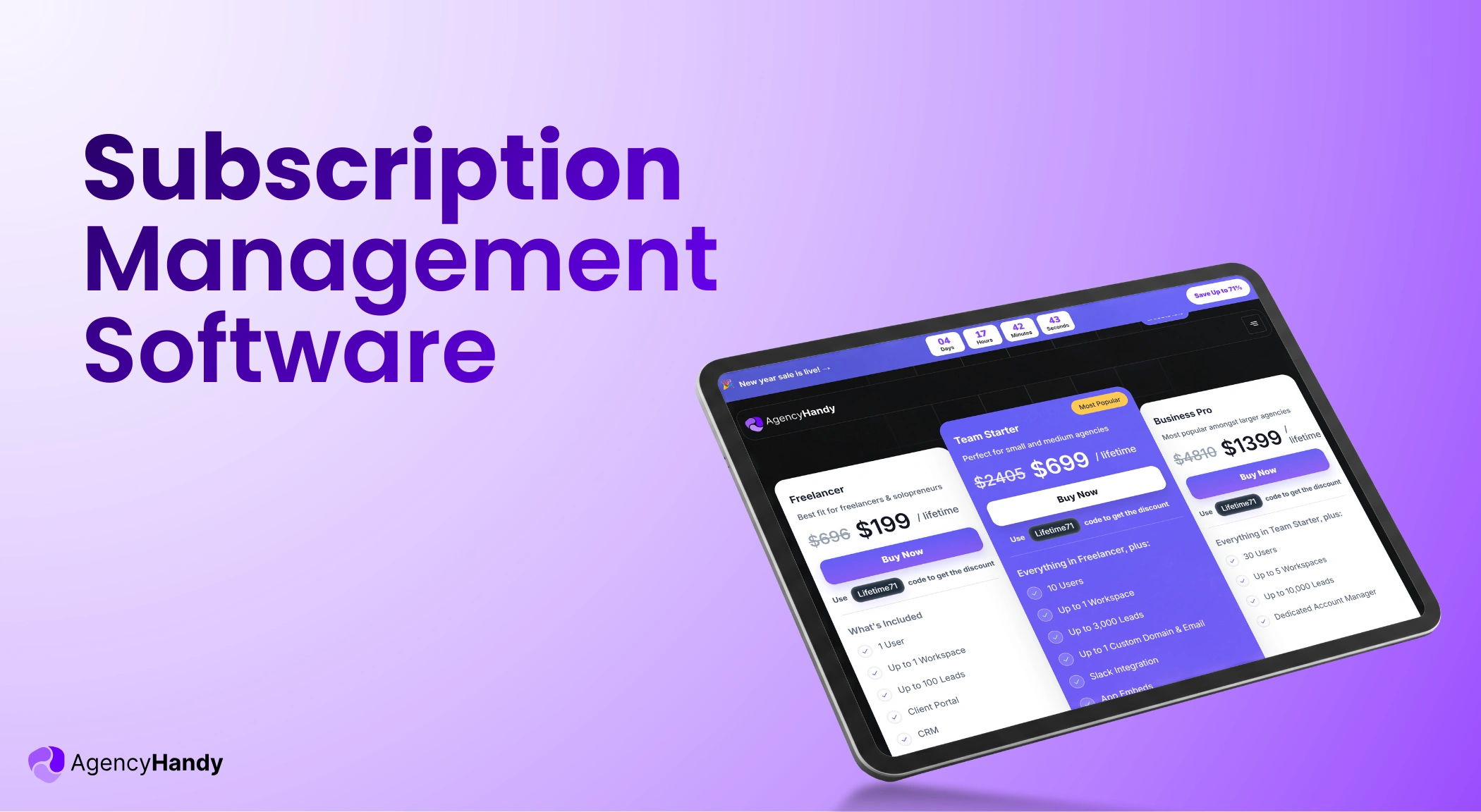



Average agency churn rate 5%–10% a year. About a quarter of these are caused by billing failures. That’s a lot when you consider how much revenue an agency makes annually.
Subscription management software can help you recover that lost revenue. The software basically automates billing, dunning emails, and payment alerts.
Of course, you will have full access to customize your tiered plans. There are options to do A/B testing to make on-demand subscription changes for clients.
In this article, you will learn what subscription management software is and the non-negotiable features. And how it benefits your productized business. There will be software recommendations as well.
What is Subscription Management Software?
Subscription management software is the tool that manages recurring billing for subscription-based services. It also handles one-time payments and automates invoicing workflows.
You can manage tiered subscription plans, usage-based billing, payment logic, tax management, and client account access from this subscription management tool.
What Does a Subscription Management Software Do?
For a productized service or software business, subscription management software primarily automates billing cycles. Here’s a brief breakdown of what this software can do for your subscription business:
Manages Lifecycle of Recurring Services
Subscription management software manages the full lifecycle of recurring services. You can customize your subscription-based offerings. The software handles complicated stuff, including pricing changes, renewals, pauses, and cancellations. So you don’t break billing logic or create revenue gaps.
You can also manage services with tiered pricing, usage-based billing, or one-time charges.
Handles Recurring Billings and Invoices
When someone purchases your plan, the software handles recurring billing and generates an invoice automatically for a specific billing cycle. You can also schedule to charge clients for any specific time period.
Creates Plans and Upsells Services
You can create and edit services using the subscription system. For each of your subscription plans, there will be packages, add-ons, and optional free trials.
Our clients who offer multiple services include add-ons for upselling. This feature within the system alone brings a good amount of revenue. This is because when people purchase a service, they are more likely to purchase one or more small related services that don’t cost much.
Calculates and Adds Taxes/VAT
The system also takes care of your tax rules, VAT inclusion/exclusion, and multi-currency billing.
Automates Payment Notifications and Alerts
When you only have to maintain 10 clients at a time, you can send a manual billing date alert through email. But when you scale, a subscription management system can send automated notifications for billing, upcoming charges, and renewal notifications.
Retries Failed Payments
Subscription management software also automates dunning workflows for failed payments. When a payment fails, clients will receive automated reminders to update their payment methods. This dunning management alone can help you recover 20-40% of failed payments.
What Breaks Without Subscription Management Software
Clients leave for many reasons. But failed payments are one of the most overlooked reasons for clients to leave. Without a dedicated subscription management system:
- You can’t track failed payments
- Delaying plan upgrades
- Incorrect billing
- Finance time doesn’t get real-time data
- The support team spends less time on clients and more time on billing
- Revenue forecasts drift further from reality every month
For example, if your business earns $40,000 in monthly recurring revenue and billing failures cause just 2% churn, that’s $9,600 lost per year. But when you have subscription management software, it will prevent ghost churn.
Why Do Businesses Need Subscription Management Software?
From a business perspective, it’s not practical to manually manage beyond 30 subscribers. You have to send them recurring payment reminders, calculate their complex dues, dedicate a few employees to taxes and VAT calculation, and whatnot.
Here’s what happens when you do it manually:
- 30 clients × 12 invoices = 360 invoices yearly
- Average 15 minutes per invoice = 90 hours annually
- Failed payment follow-up: 5-7 clients monthly × 20 minutes = 20+ hours
- Mid-cycle changes: 3-5 monthly × 30 minutes = 22.5 hours
- Total: 132.5+ hours yearly on billing admin alone
If your opportunity cost is $50/hour, you will lose $6,625 worth of productive time. But when you have a subscription software, 90% of these boring, repeated tasks are taken care of.
The software also helps businesses to manage subscription-related workflows. It onboards clients when a service or plan is purchased. The system also makes adjustments for plan renewal and when clients want to change the plan.
Here are more reasons why businesses need subscription management software:
Automate Complex Recurring Billing
A subscription management software makes sure clients get invoices right on time without any errors and friction. The software takes care of all the adjustments, trial conversations, and billing cycles. You don’t have to bother with failed payments; it manages dunning payments as well.
Simplify Subscription Lifecycle Management
Clients will ask you to upgrade or downgrade their subscriptions in the middle of a month. You might also have to cancel and renew subscriptions. Think about the complexity when clients ask you to allow them to add more users.
The subscription software manages lifecycle events with full client history. Your system always shows the accurate and precise billings and invoices with details.
Accurate Revenue Forecasting with Analytics
You will precisely know how many MRR, ARR, and LTD clients you have. The tool will also let you know the churn rate. Some subscription management software even allows filtering by service, plan, region, and customer type.
You will have all the necessary analytics and reports to plan for the upcoming quarter.
Prevent Churn from Failed Payments
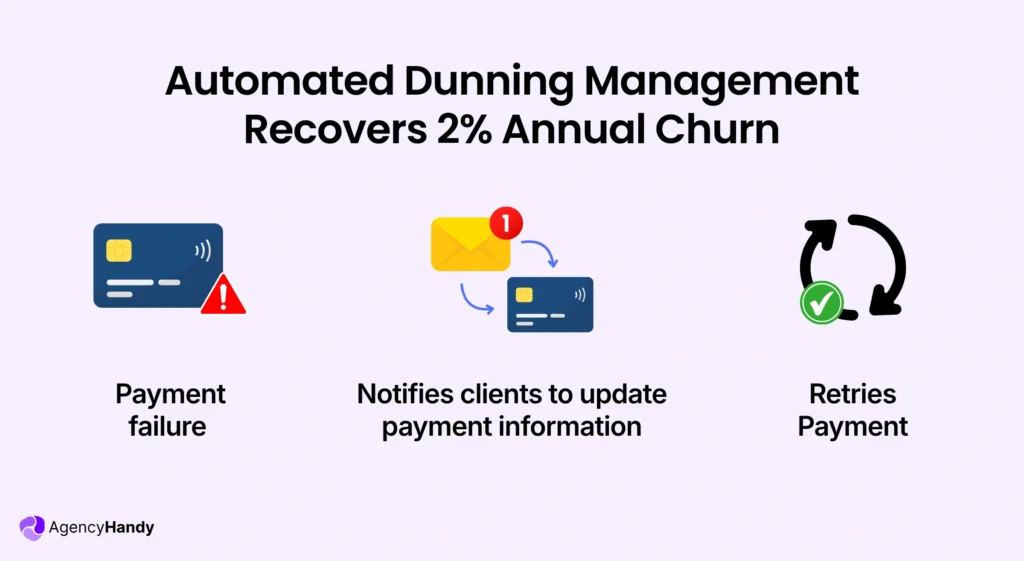
In the SaaS and productized service industry, around 2% annual churn is due to failed payments. Let’s say your agency brings in revenue $120k/annually, then the churn due to payment failure would be $2400. The amount will increase if your business earns more.
To put this into perspective –
If you have 300 subscribers paying $80 per month, then your MRR is $24,000. If 5% of payments fail each month, you risk $1,200. When you recover even 60% of those failures, it adds over $8,600 in annual revenue. That’s without acquiring a single new customer.
When your subscription management system is on, it will automate retries and give reminders in a pre-set sequence. This alone will reduce a significant churn rate.
Create a Flexible and Adaptive Pricing
Clients will ask to extend the free trial period, change plans, add more users, or switch between MRR and ARR/LTD. Your subscription management software will address all these complex scenarios instantaneously.
What are the Core Features of Subscription Management Software?
To make sure you don’t get confused with tons of features, here’s the most essential features you shouldn’t miss:
Recurring Billing and Invoice
The key feature of subscription management software is to handle recurring billing, along with other operations related to it. While billing, it will also apply regional tax rules with multi-currency billing support. You can include or exclude VAT as well.
Subscription Lifecycle
Both admin and clients can upgrade, downgrade, cancel, and pause subscriptions when needed. Prospects can test the free trial version, purchase, or cancel if needed. You can also apply proration rules. This is for mid-cycle changes with proper billing logic.
Plan and Pricing Configuration
You can create all services with subscription plans, tiered pricing, and usage-based billing. You can even do the hybrid models. Each plan will have add-ons, bundles, discount codes, and custom billing intervals.
Even if you have a freemium business model, the software lets clients auto-upgrade after the trial period.
Payment Gateway Integrations and Dunning
Your subscription software connects to payment processors. Stripe, PayPal, and Wise are the most common ones. The system triggers dunning automation when payments fail. It can be due to expired cards, insufficient funds, or declined transactions.
The system retries charges, maintaining a schedule. It sends reminder emails to your customers. They get secure links to update payment details. It can help you recover failed payments. You can also prevent involuntary churn without manual follow-up.
Subscription Analytics and Revenue Reporting
Built-in dashboards track your key metrics, including MRR, ARR, churn rate, and customer lifetime value. You can filter reports by subscription plan, billing period, region, or customer segment.
Your finance team will get revenue forecasts. As for the marketing team, they will know which strategy works the best. The operations team will identify at-risk clients and offer them deals to retain them. You can make decisions based on these insights.
Client Portal Access
Your clients will get their own portal for self-service. They can view billing history, download invoices, upgrade plans, and add users from their end. Your team doesn’t have to engage in basic stuff.
The portal displays contextual upsells based on their usage patterns. From the portal data, you will know which items are converting most as upsells. And there will be many fewer support tickets. Thus, your team will be free for more valuable tasks.
Managing Advanced Subscription Scenarios
In the past 1.5 years, we have served thousands of clients through our subscription management software. We came across some advanced subscription scenarios that you should know as well.
Upgrading and Downgrading Plans Mid-Billing Cycle
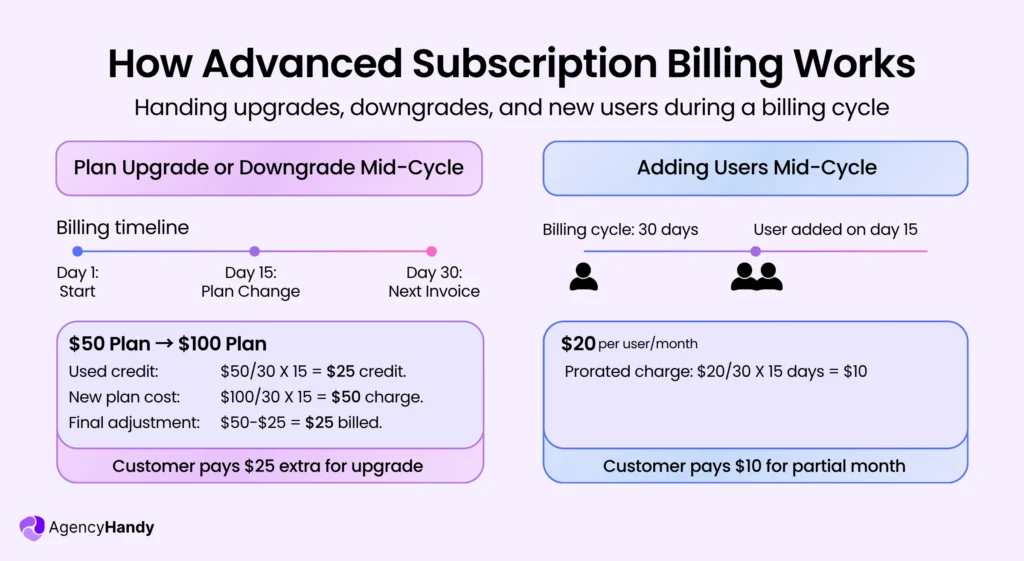
Customers usually don’t upgrade on your billing schedule. They upgrade when they need more capacity. You should have a subscription system to handle their mid-cycle plan changes. And it must be through proration.
If a customer upgrades from a $50 plan to a $100 plan halfway through the month, there should be an adjustment. The system calculates unused credit from the old plan and applies it to the new one. Downgrades work similarly. The credit carries forward to the next billing cycle.
Adding Users Mid-Cycle
You need to bill accurately when customers add team members for per-seat pricing models. Without proration, you either overcharge or undercharge. The system detects new user additions. And then prorates the charge based on the remaining days in the billing period.
Let’s say someone adds a seat on day 15 to a $20/user plan. They will pay roughly $10 for that partial period. The next invoice will include the full seat count at regular pricing. With the software, it’s adjusted automatically.
How to Choose the Right Subscription Management Software for Agencies
Agency-focused subscription management software is designed for agency operations. This includes selling productized services, deliverables, and client relationships.
But of course, there are differences between agencies regarding their billing models, workflows, and client management approaches. Below are the things you have to keep in mind:
Decision Matrix
Prioritize your current framework –
- Under 50 clients: All you need is ease of use
- 50-200 clients: Give automation a priority to scale further
- 200+ clients: Enterprise features, API access, dedicated support matter
You must have the flexibility in Hybrid billing if your agency’s business is retainer-based.
If projects and deliverables matter the most, make sure the software has a client portal integration.
If you have international clients, then having multi-currency support and tax automation is essential.
Scalability for Clients and Plans
The software should be able to function without technical issues when you onboard more clients. From time to time, you need to add service tiers, adjust pricing structure, or launch different billing cycles. The software should be able to do it for you without needing a developer.
Integration with Existing Systems
Your subscription platform should sync with QuickBooks, Xero, or FreshBooks. Native integration would be a plus. If not, at least go for the platform that allows it through API. If you are already using a CRM, make sure you can integrate the CRM with it.
Billing Flexibility
You need to have the flexibility to bill clients based on their custom requirements. This is apart from basic monthly subscriptions.
Some clients pay monthly retainers. Others prefer quarterly invoices, and some need annual contracts.
If applicable, combine subscription fees with one-time project charges on the same invoice.
Subscription Automation
Payments of all subscriptions should be processed automatically without your direct involvement. The software typically generates invoices and automatically sends them on billing dates. The software will also adjust pricing whenever clients upgrade.
Payment Recovery
Payments fail due to expired cards, insufficient funds, or bank declines. With dunning automation, it tries to charge on a schedule. The system sends reminder emails to clients to update their payment methods. Depending on the agency and revenue model, it can recover 60-70% of failed payments.
Client Self-Service Portal
Clients can manage their own subscriptions right from the client portal. They can upgrade service tiers, add users, download invoices, update payment details, and view billing history. Clients also prefer tweaking basic things without waiting for someone else.
What is the Best Subscription Management Software for Agencies?
The best subscription management software would vary depending on your subscription business model. Some software manages agency workflow, some productized service businesses, and some are designed to serve software businesses.
Here’s a list of the top 5 subscription management tools to choose from.
| Feature | Agency Handy | Chargebee | Recurly | Maxio | Zuora |
| Starting Price | $29/month | $599/month | Custom | $599/month | Custom |
| Service Package Builder | ✓ | ✗ | ✗ | ✗ | ✗ |
| Client Portal | ✓ | ✗ | ✗ | ✗ | ✗ |
| Mid-Cycle Changes | ✓ | ✓ | ✓ | ✓ | ✓ |
| Hybrid Billing | ✓ | Limited | Limited | ✓ | ✓ |
| Dunning Management | ✓ | ✓ | ✓ | ✓ | ✓ |
1. Agency Handy
Best for Agencies selling productized services or retainers
Agency Handy manages subscriptions for productized services in the simplest manner. For SaaS and productized businesses, you can create multipackage services with pricing options, deliverables, and customized plans.
This subscription management software links subscriptions to clients’ data. This means you see the full client relationship context, not just billing transactions.
Let’s say you have a client who has a failed payment issue. Based on the data, the client has 3 active projects. Your team last contacted him on Tuesday. He typically pays within 2 days after an email reminder.
The tool doesn’t chase a transaction ID. It helps you manage a client, where the billing is just one component.
Agency Handy as a Subscription Management Software
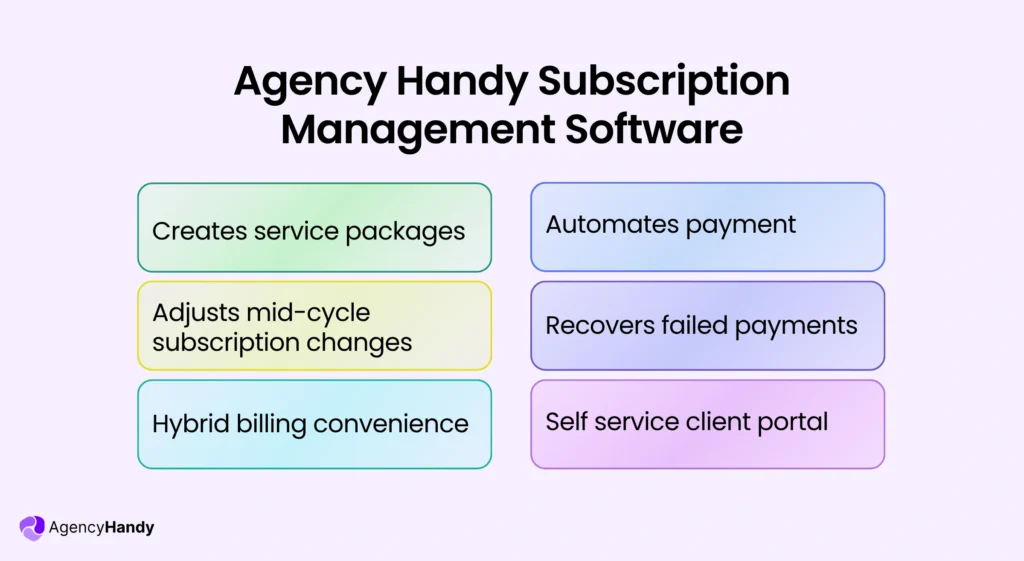
- Service Package Builder (No-coding)
If you sell one of multiple productized services, you can create tiered plans, multi-package subscriptions, or even create custom plans for enterprise clients.
- Mid-Cycle Subscription Changes
Whether you need to upgrade, downgrade, or switch plans, Agency Handy can do all these for you with automatic proration.
- Flexible User/Seat Management
Add or remove team members on demand for clients with prorated billing. Billing will be auto-updated with the necessary adjustment.
- Hybrid Billing
If any of your existing recurring clients’ orders for a one-time project, you can combine both recurring and one-time billing in a single invoice.
- Overage Billing
When your team works on deliverables beyond the current plan limit, you can monetize extra work as one-time add-ons.
- Payment Automation
No need to manually send an email for overdue payments. Agency Handy automates payments with success/fail notifications.
- Basic Dunning Management
For failed payments, Agency Handy automatically triggers retry schedules and email reminders. It reduces churn rate and brings more revenue for the business.
- Unified Client Portal
Clients can log in to a dedicated portal to purchase services, manage their subscription plans with limitations, view projects, access invoices, and records from a single spot.
- Integrated Client Management
Subscription data are linked to clients and specific projects to make overall agency management efficient.
Not ideal if
- You run a pure SaaS product with no service delivery
- You only need basic recurring billing without client management
2. Chargebee
Best for SaaS companies with complex pricing models
Chargebee smartly handles the complex pricing of recurring billing. It also comes with a dunning management to recover lost revenue. It would auto-apply tax rules based on your preferred region.
- Dunning with customizable retry schedules
- Proration for upgrade or downgrade mid-cycle
- Revenue and financial reports
- Integrates with Stripe, PayPal, Braintree, and other payment gateways
- Multi-currency billing with tax calculations
Not ideal if
- You sell highly customized services
- Client-specific pricing changes are frequent
3. Recurly
Best for Enterprise SaaS companies with high transaction volumes
Recurly offers subscription management for enterprise businesses with high transaction volumes. The platform deals with failed payments, too. If you need deep subscription analytics to track growth, this is the recommended platform.
- Dunning adjusts retry timing based on failure type
- Subscription analytics show MRR, churn rate, and LTV
- Automated invoice generation and payment processing
- Update pricing without affecting current customers
- Revenue recognition automation
Not ideal if
- You sell services with frequent scope or pricing changes
- Your team prefers simple, lightweight billing workflows
4. Maxio
Best for B2B SaaS companies with finance-led operations
Maxio subscription billing system is ideal for B2B SaaS. Their software includes key SaaS metrics for the finance team. That’s what large businesses need for revenue recognition without making things complicated.
- Automated revenue recognition
- Subscription metrics dashboard
- Usage-based billing and metered pricing
- Syncs with QuickBooks, Xero, NetSuite, Salesforce
- Dunning management retries automatically
Not ideal if
- You run a service-heavy or agency business
- You bundle one-time projects with recurring retainers often
5. Zuora
Best for Large enterprises with global subscription operations
Zuora works best for enterprise subscriptions. It’s built for large businesses running global operations. The system handles complex billing requirements well.
- Order-to-cash automation for the full subscription lifecycle
- Revenue recognition compliance
- Multi-currency support
- Usage-based billing
- Subscription handles upgrades, downgrades, and renewals
- Integrates with ERP, CRM, and payment systems
Not ideal if
- You’re a small or mid-sized agency
- Your billing structure is simple and doesn’t justify enterprise overhead
Frequently Asked Questions
What’s the difference between recurring billing and subscription management?
Recurring billing collects payment on a schedule. Recurring billing is one component of complete subscription management. Subscription management is a vast thing. The functions include recurring billing plus plan changes, proration, customer portals, dunning, analytics, and lifecycle management.
Can subscription management software handle free trials and freemium models?
Subscription management software handles free trials and freemium models. It converts trial users to paid plans automatically after the trial period ends. You set trial durations, configure auto-conversion rules, and add grace periods before charging customers.
What are the three types of subscriptions?
The three subscription types are fixed recurring (flat monthly fee), usage-based (charge varies by consumption), and tiered pricing (different service levels at set prices). Some businesses combine these models—offering tiered plans with usage-based overages.
Does subscription management software integrate with my accounting system?
Some subscription software natively integrates with QuickBooks, Xero, FreshBooks, and NetSuite. Others do it with an API. The software syncs invoices, payments, and customer records automatically. It follows accounting standards, and journal entries are posted without manual data entry.
Can subscription management tools integrate with a CRM?
Subscription management tools integrate with CRMs like HubSpot, Salesforce, and Zoho. Integration syncs customer data, subscription status, billing history, and payment information between systems. This keeps sales and support teams informed about customer account details.
Can I offer discounts, coupons, or promotional pricing within subscriptions?
You can create percentage discounts, fixed-amount reductions, and time-limited promotions. The software applies coupons at checkout, tracks redemption rates, and manages referral credits. Discounts apply for specific billing cycles or subscription lifetimes.
How does the software handle refunds and credits?
You can issue full or partial refunds through the platform. Credits automatically apply to future invoices. Chargeback management alerts you when disputes occur. Some platforms handle chargeback responses and evidence submission automatically.
Is there a limit to how many subscription plans or pricing tiers I can create?
Most platforms allow unlimited subscription plans and pricing tiers. You can run A/B pricing tests simultaneously. Legacy plans stay active for existing customers while new customers see updated pricing structures.
Final Words
The best way to figure out which subscription management software meets your workflow is to try the trial version of various platforms. Along with features, don’t overlook the user experience. For your productized service business, give Agency Handy a 7-day trial to manage subscriptions as well as agency operations.